
Set Up QiikTV on Your Preferred Player
QiikTV works with TiviMate, Xtream Player and IPTV Smarters Pro. Use the username and password from your initial email — both are case sensitive.
Use the visual setup flyer.
Keep this flyer open on your phone or tablet while setting up IPTV Smarters Pro.
View Written Steps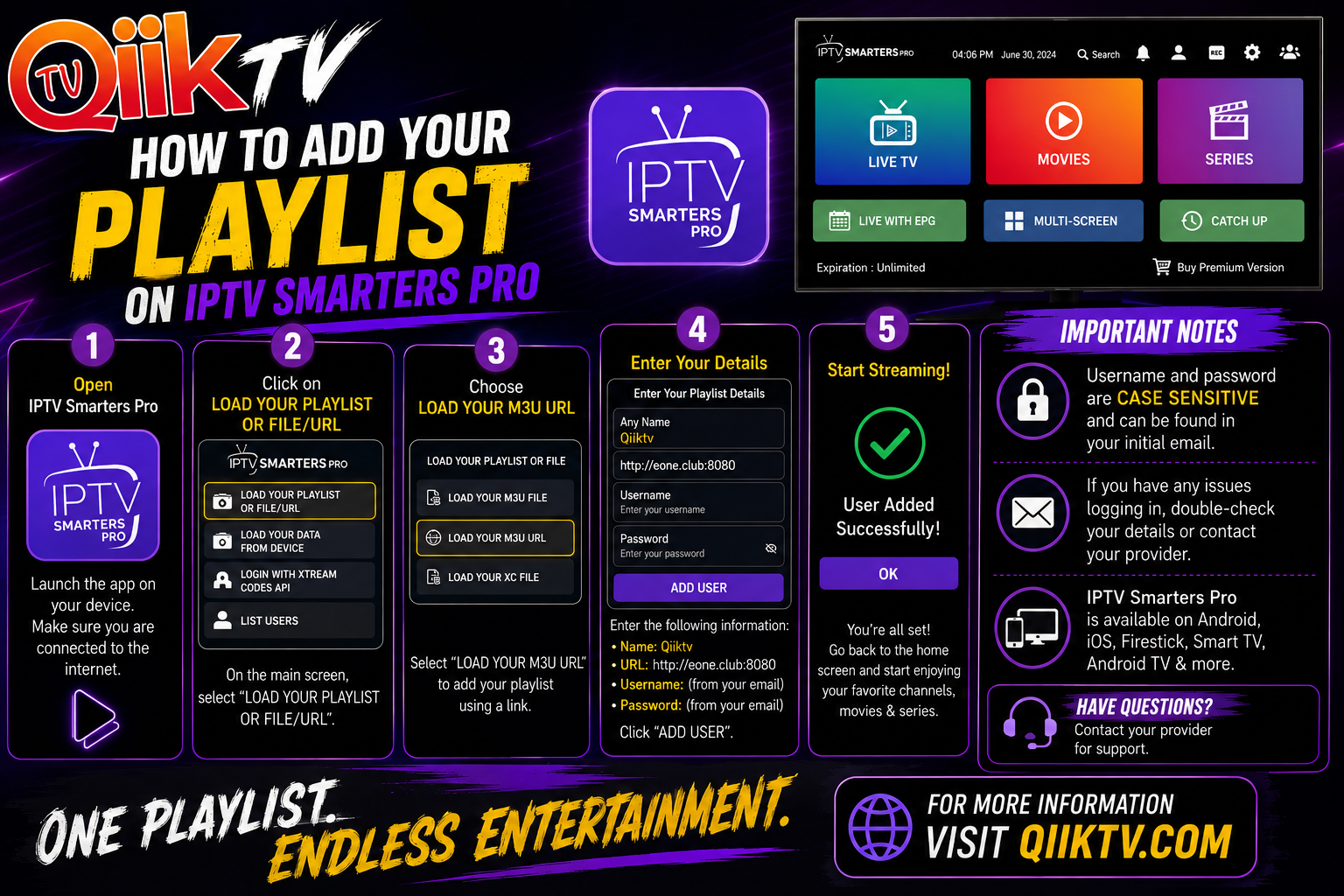
Choose the app that works best for you.
IPTV Smarters Pro
Use the detailed visual walkthrough below to add your QiikTV playlist.
TiviMate
Add your QiikTV service using the account details provided in your initial email. Menu names may vary by version.
Xtream Player
Use the server URL, username and password provided with your QiikTV account. Menu names may vary by version.
Open IPTV Smarters Pro
Launch the app and connect your device to the internet.
Choose “Load Your Playlist or File/URL”
Select the playlist/file URL option from the main screen.
Select “Load Your M3U URL”
Choose the M3U URL option.
Enter Your QiikTV Details
Playlist Name: QiikTV
URL:
Username: from your initial email
Password: from your initial email
Add User & Start Streaming
Select Add User. Once the playlist loads, return to the home screen.
At home or in your hand.
QiikTV is available on supported televisions, streaming devices and handheld devices.
Multi-Screen Viewing
Your plan determines how many simultaneous connections can watch at once: 2 connections on the $45 plan or 4 connections on the $65 plan.
Contact Support